Get the most from the AI coach
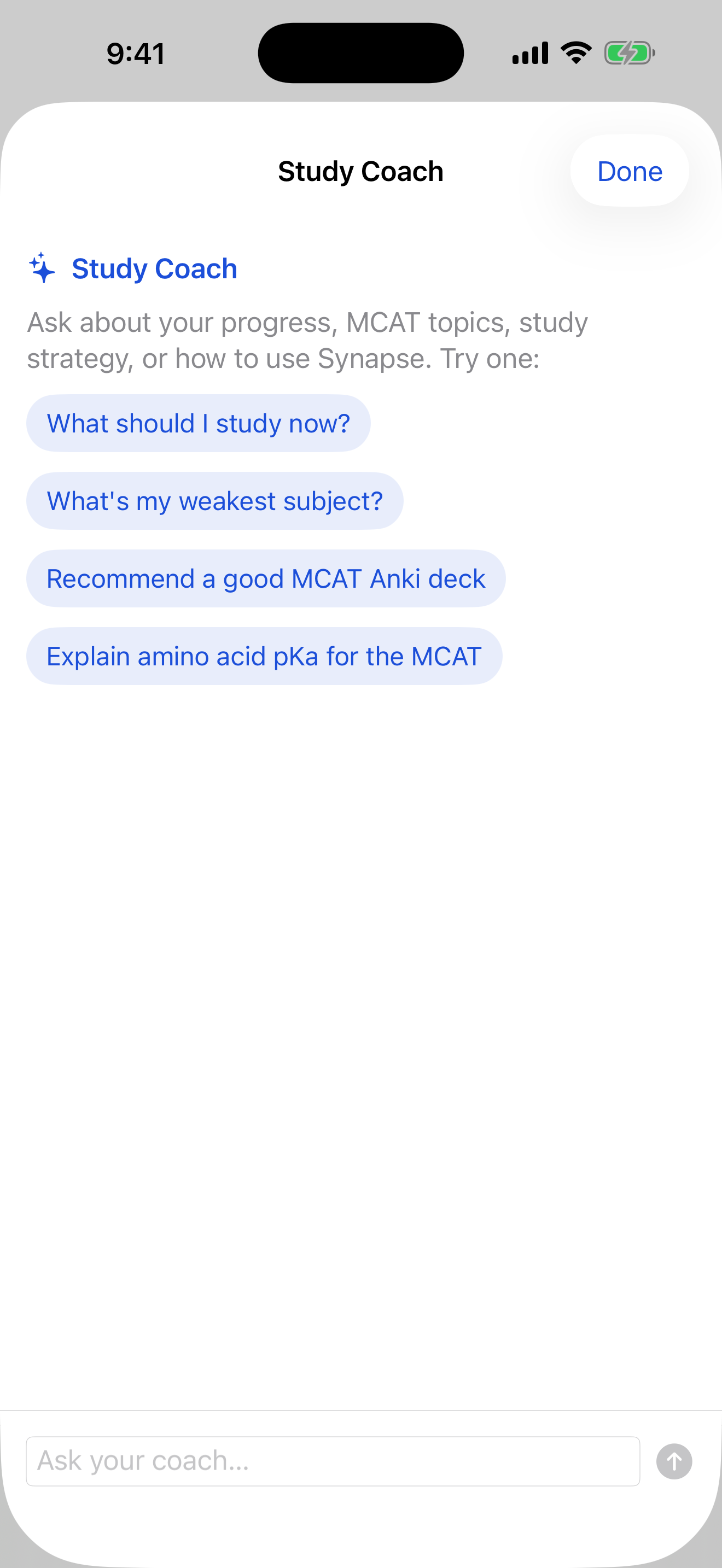
Synapse's coach runs entirely on your device using Apple Intelligence. It knows your real study data — what's due, what's slipping — and can also explain concepts and suggest study plans. Here's how to get the best out of it.
-
Open the coach
Tap the floating coach button (the speech-bubble in the bottom-right corner) — it's on every tab. The chat opens anchored right above it and keeps context across the conversation, and it scopes to wherever you are: study data on Study, questions on Practice.
The coach floats bottom-right on every tab. -
Ask about your own progress
This is where it shines — it answers from your real numbers:
- “What should I study today?”
- “Which subject is my weakest?”
- “How many cards do I have due right now?”
- “Am I keeping up, or falling behind?”
Tip: Focus a subject first, then ask — the coach scopes its answer to just that subject. -
Ask general study questions too
The coach isn't limited to your data. Ask it to explain a concept, plan a schedule, or point you to resources:
- “Explain the difference between SN1 and SN2 reactions.”
- “Build me a 6-week study schedule.”
- “How should I structure my flashcards?”
-
Get help using the app
Stuck on how to do something? Just ask — “How do I import a deck?” or “How do I focus a chapter?” The coach knows its way around Synapse and will walk you through it (or point you to the full guides).