Study effectively & Focus a subject
Spaced repetition only works if you review a little every day and grade yourself honestly. Here's how to build the habit — and how to use Focus to drill one subject or chapter when you need to.
-
Start a review session
Tap a deck, then Study. Synapse shows the cards that are due right now — the ones you're about to forget — in a steady order: cards you're still learning first, then due reviews, then new cards in the deck's own order. Read the front, think of your answer, then tap Show Answer.
New cards per day: Synapse introduces up to 20 unseen cards a day by default, so a big deck doesn't bury you. Change it in Settings → Scheduling. Due reviews are never held back.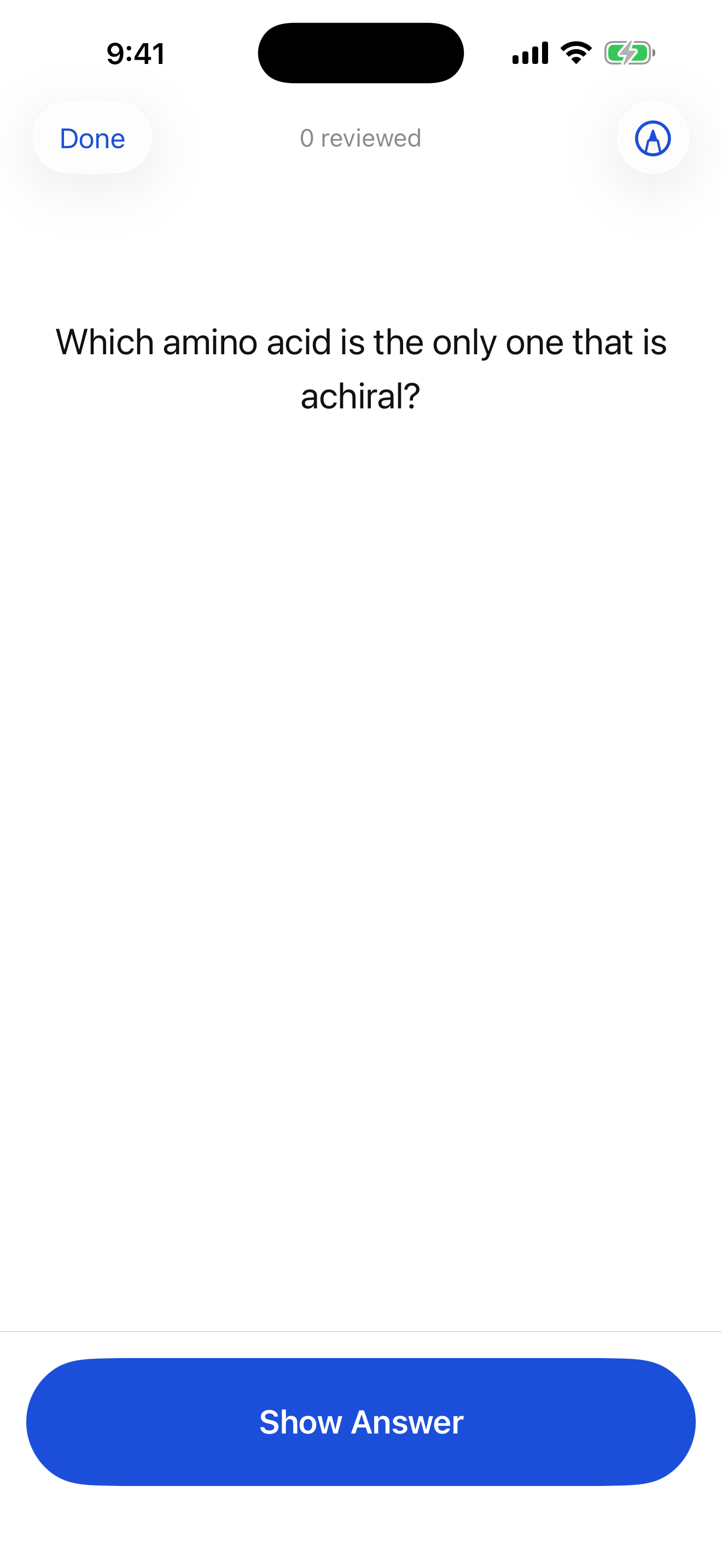
Recall first, then reveal. -
Grade yourself honestly
This is the whole game. Pick the button that matches how it felt — Synapse schedules the next review accordingly (the time under each button is when you'll see the card again):
- Again — you forgot. The card comes back after a short pause (about a minute). If nothing else is due, Synapse counts down until it's ready instead of repeating it instantly.
- Hard — you got it, but it was a struggle. Shorter interval.
- Good — you recalled it with normal effort. This is your default.
- Easy — instant and effortless. Longer interval, so you don't waste time on it.
How it schedules: Synapse uses FSRS, a modern memory model that learns how well you know each card and brings it back just before you'd likely forget it. Prefer the classic SM-2 algorithm? Switch any time in Settings → Scheduling — your due dates and history are kept.Don't inflate your grades. Pressing “Good” on a card you barely remembered just means you'll cram it the night before. Honest “Again” presses are what make the schedule work.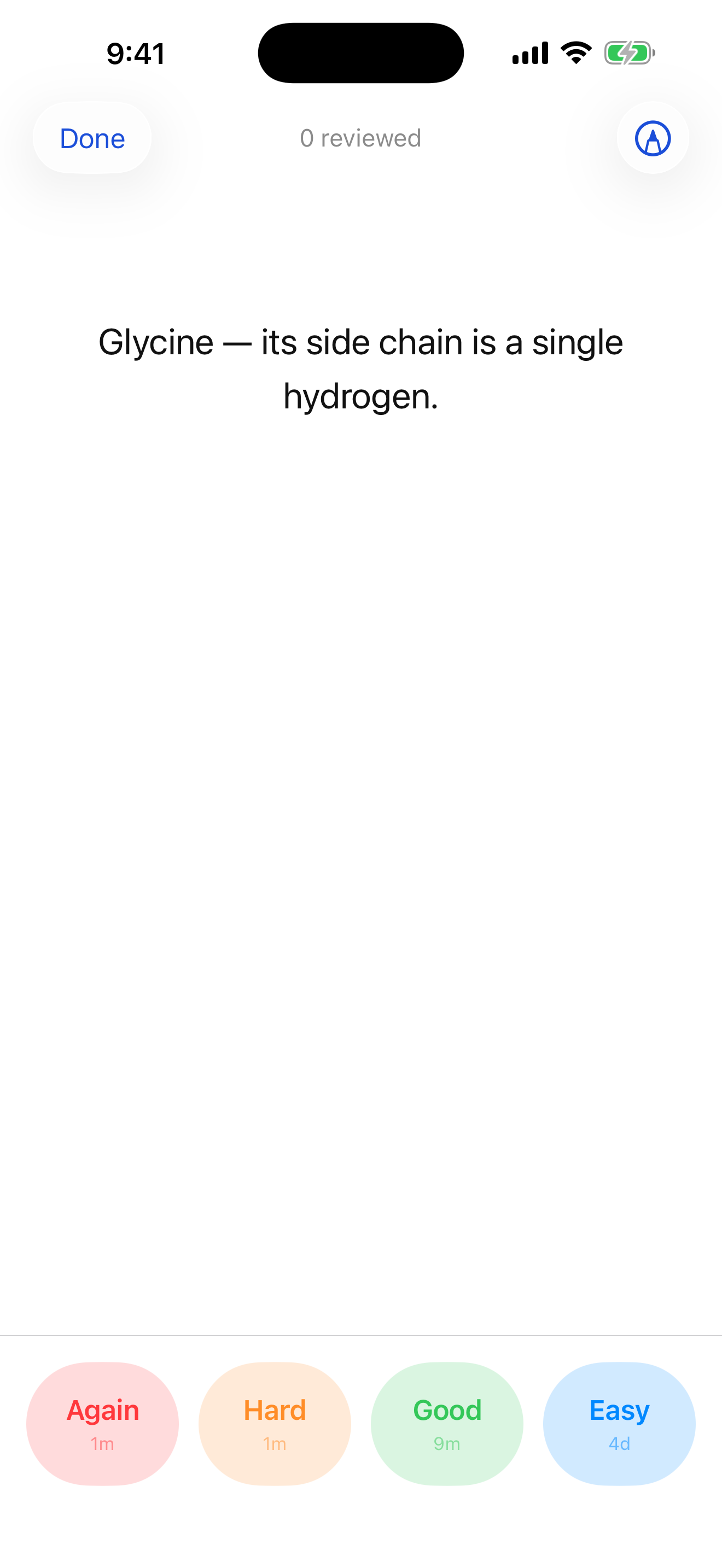
Each button shows when you'll next see the card. -
Make it a daily habit
Short, daily sessions beat long, occasional ones. Open Synapse once a day and clear what's due — the home screen and the banner at the top of your deck list nudge you when cards are waiting. All caught up but want more? Tap Study ahead to review cards before they're due.
Free plan: 5 cards per day — seeing a card again after pressing Again doesn't count as another one. Premium removes the daily cap for unlimited reviews. -
Focus one subject or chapter
Cramming biochem this week? Focus narrows the whole app to a single deck or chapter. Swipe right on any deck (or sub-chapter) and tap Focus — or long-press it and choose Set as active deck.
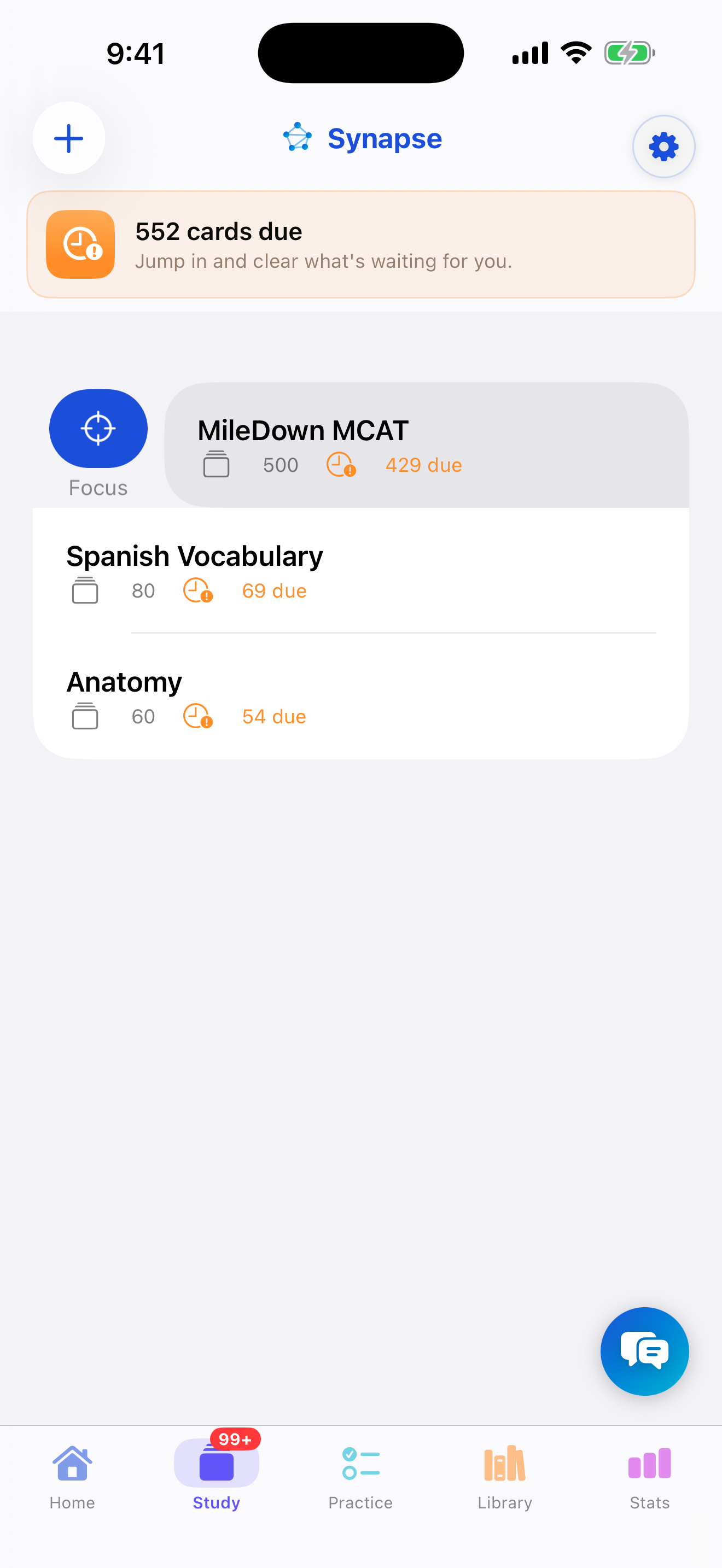
Swipe → Focus to drill one subject. -
Study just that — everywhere
While a deck is focused, a chip appears at the top of the list, and study, your Stats and the AI coach scope to just that subject. Opening the focused deck — or the deck that contains it — studies only the focused cards. Tap Clear on the chip (or swipe again and choose Unfocus) to see everything again.
Cards in other decks stay on schedule while you focus. The deck list and home screen show N due outside your focus · Review all — tap Review all to study every deck's due cards without changing your focus. You can also open any other deck directly; it's marked Outside your focus.
Tip: Study and Practice keep separate focuses, so you can drill one subject's flashcards and a different one's practice questions at the same time.