Create your own deck & cards
No deck to import? Build your own in minutes. Synapse cards take plain text, photos, and real LaTeX math — with a live preview so you see exactly how each card will look while studying.
-
Make a new deck
On the Study tab, tap + (top-left) → New deck. Give it a name (e.g. “Biochemistry” or “Spanish Verbs”) and save.
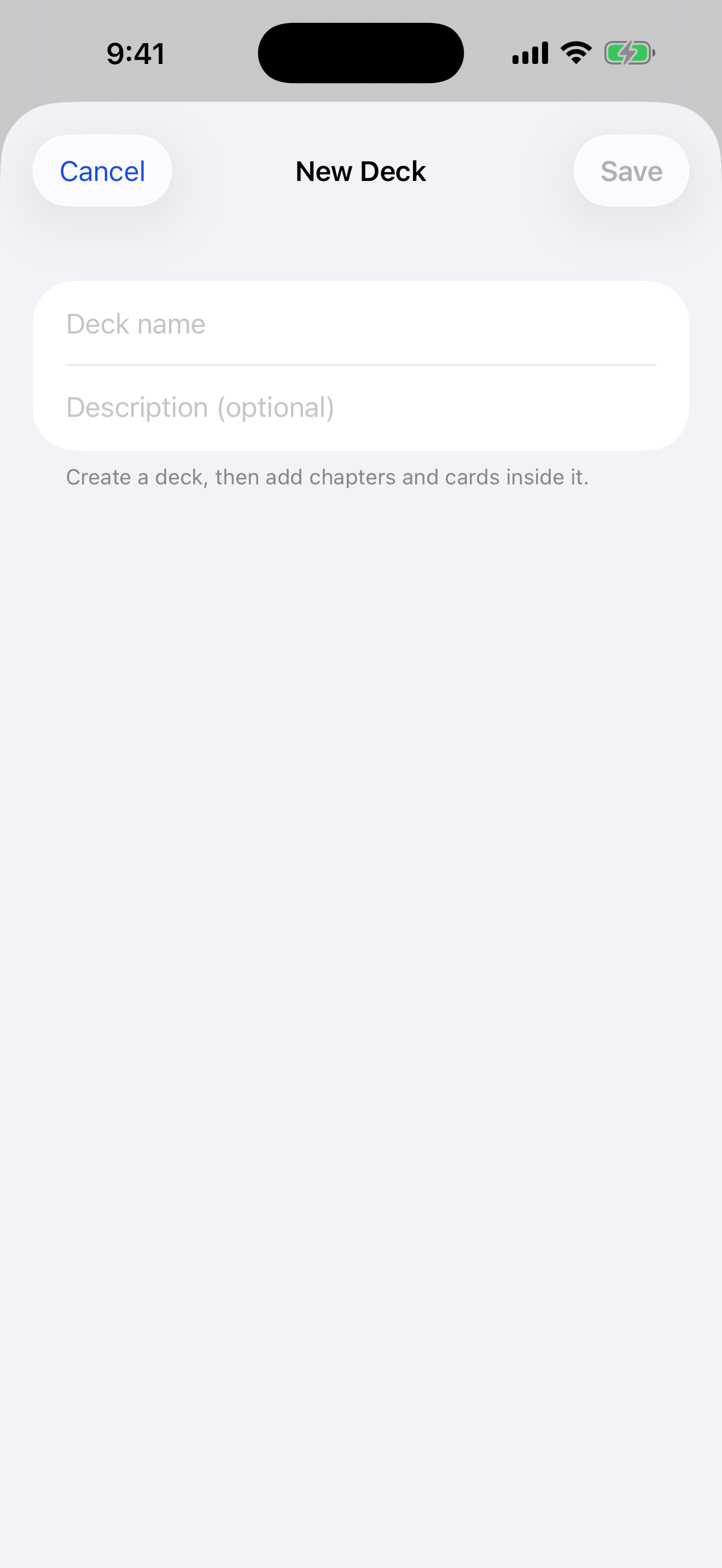
Study → + → New deck. -
Open the deck and add a card
Tap your new deck to open it, then tap the ••• menu (top-left) → Add card.
-
Write the front and back
Type the question in Front and the answer in Back. You can:
- Add a photo to either side with Add image
- Type math with
$…$for inline and$$…$$for a centered equation — e.g.$K_a = \frac{[H^+][A^-]}{[HA]}$
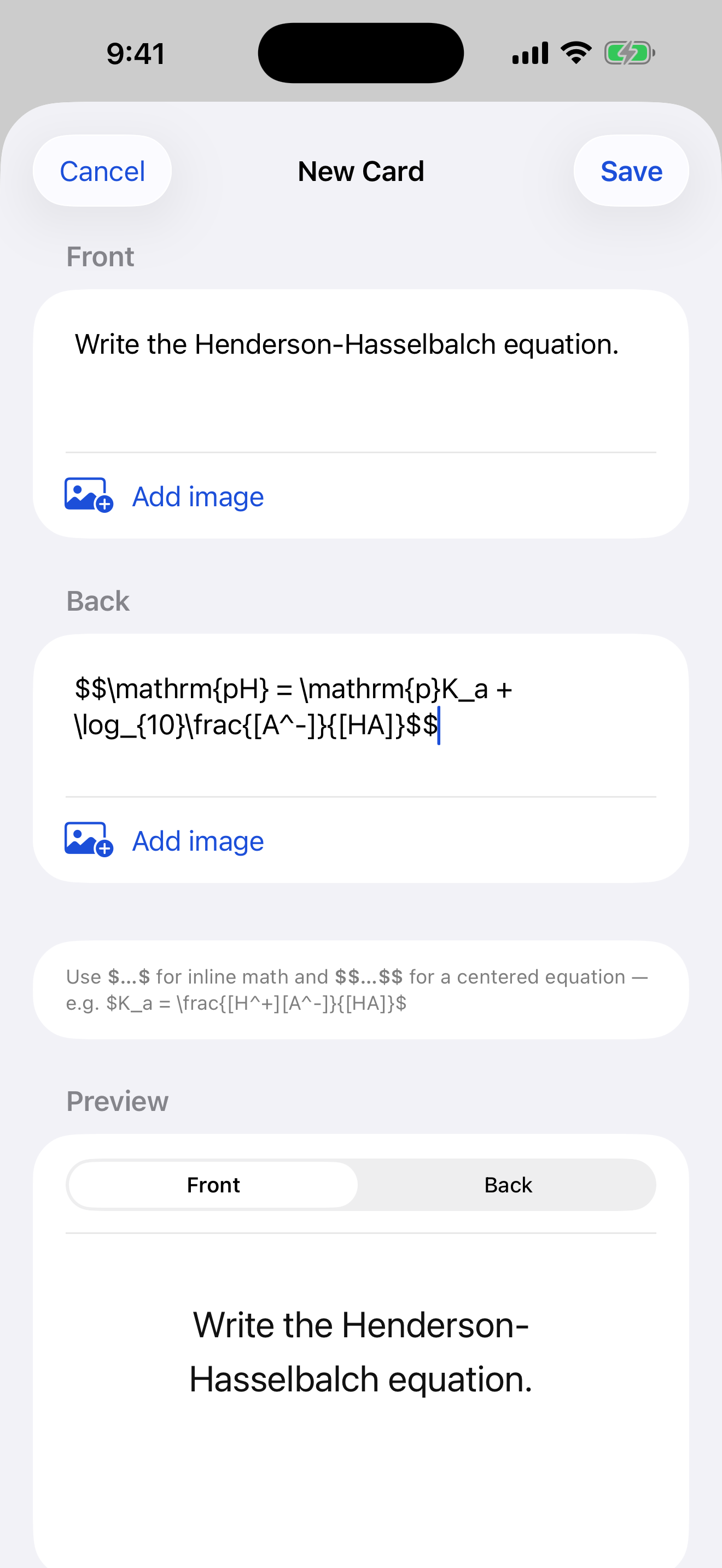
The card editor takes text, images, and LaTeX. -
Check the live preview
The Preview at the bottom shows the card exactly as you'll see it while studying — flip between Front and Back to confirm your math and images render the way you want.
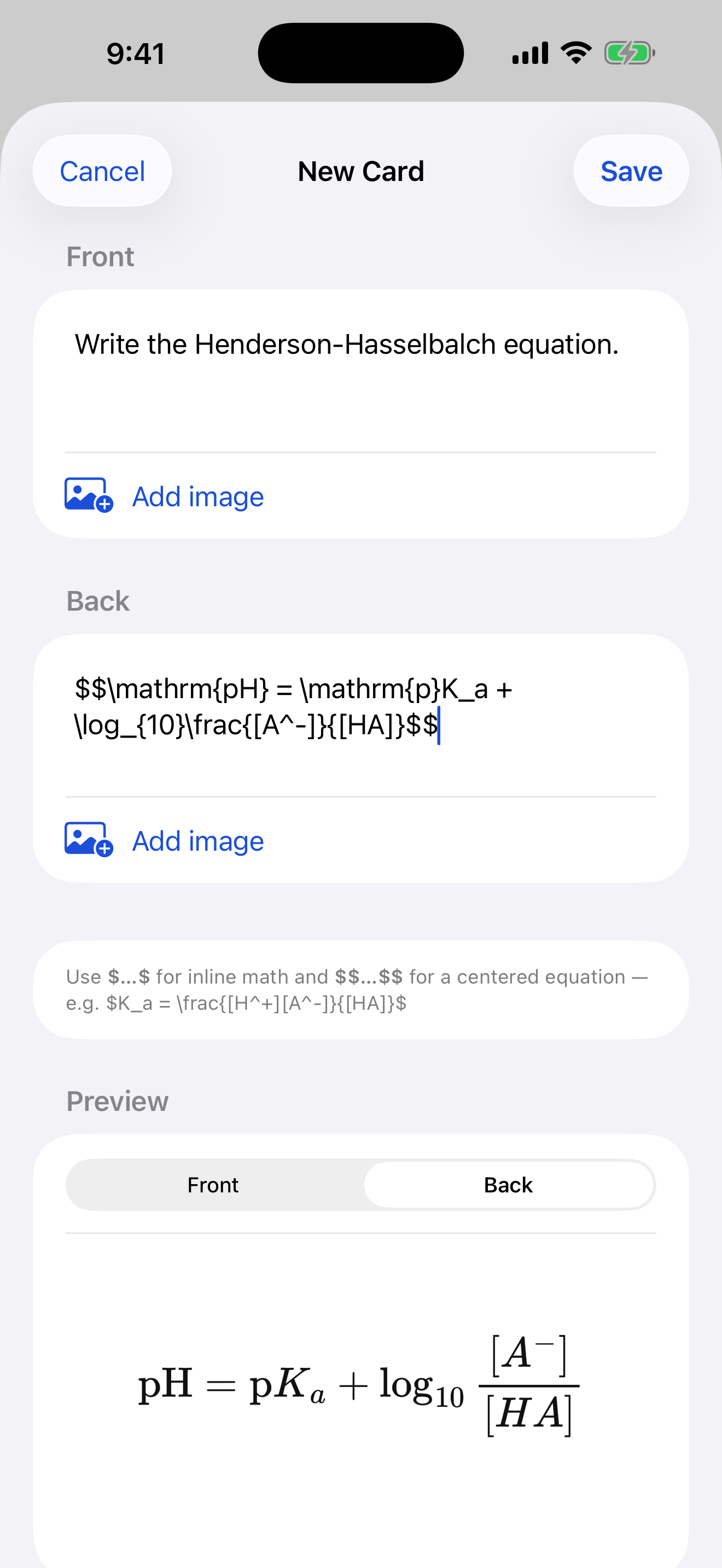
The preview renders LaTeX and images instantly. -
Save — and keep going
Tap Save, or Save & add another to keep the editor open and rattle off a batch of cards quickly.
-
Organize into chapters (optional)
For bigger subjects, group cards into chapters: from the deck's ••• menu choose Add chapter to create a nested sub-deck. You can study a whole subject at once, or Focus a single chapter.