Download & import an Anki deck
Already have a deck you love — AnKing, MileDown, or your own? Synapse imports standard Anki .apkg files you own, rebuilding their subject/chapter structure and rendering images, LaTeX, and cloze deletions.
-
Export the deck as
.apkg(older format)In Anki on your computer, right-click the deck → Export. Set:
- Export format: Anki Deck Package (
.apkg) - Include scheduling information: optional (keeps your progress)
- ✅ Support older Anki versions — this is required
Then click Export and save the file.
Important: Synapse reads the widely-compatible legacy format. If you skip “Support older Anki versions,” the newest export can't be read and Synapse will ask you to re-export. If you downloaded a shared deck, you can skip to step 2.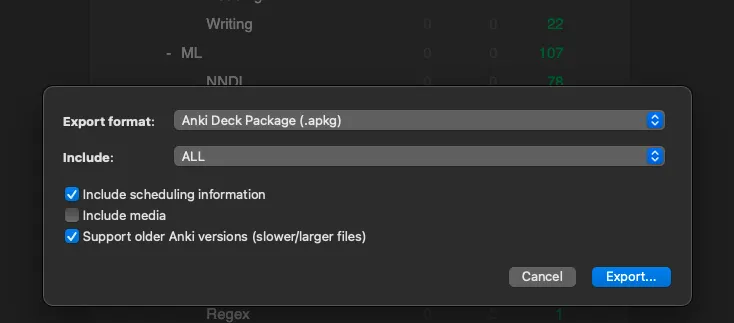
Anki's Export dialog — keep “Support older Anki versions” on. - Export format: Anki Deck Package (
-
Get the file onto your iPhone or iPad
Move the
.apkgto your device any way you like:- AirDrop it from a Mac (fastest)
- Save it to iCloud Drive or Files
- Email it to yourself and save the attachment to Files
It just needs to be reachable from the Files app.
-
Open Synapse and start the import
On the Study tab, tap the + button in the top-left, then choose Import deck (.apkg).
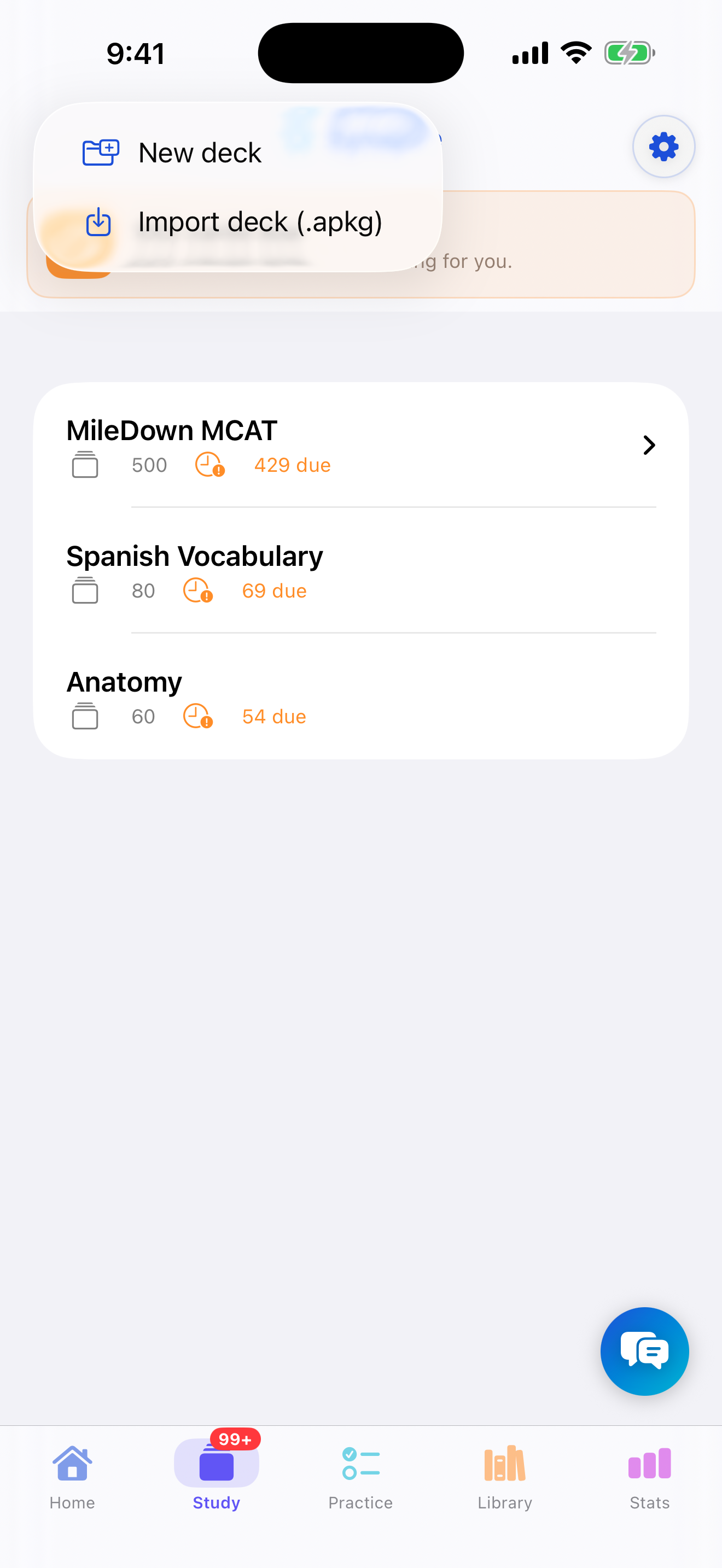
Study tab → + → Import deck (.apkg). -
Pick your
.apkgfileThe Files browser opens. Navigate to where you saved the deck and tap it. Synapse copies it in and shows an “Importing deck…” progress indicator — large decks (AnKing is ~10,000 cards) take a moment.
-
Done — your deck appears in the list
Synapse confirms how many cards were imported and rebuilds the deck's subject and chapter hierarchy, so it nests in the sidebar just like it did in Anki. Tap the deck to start studying.
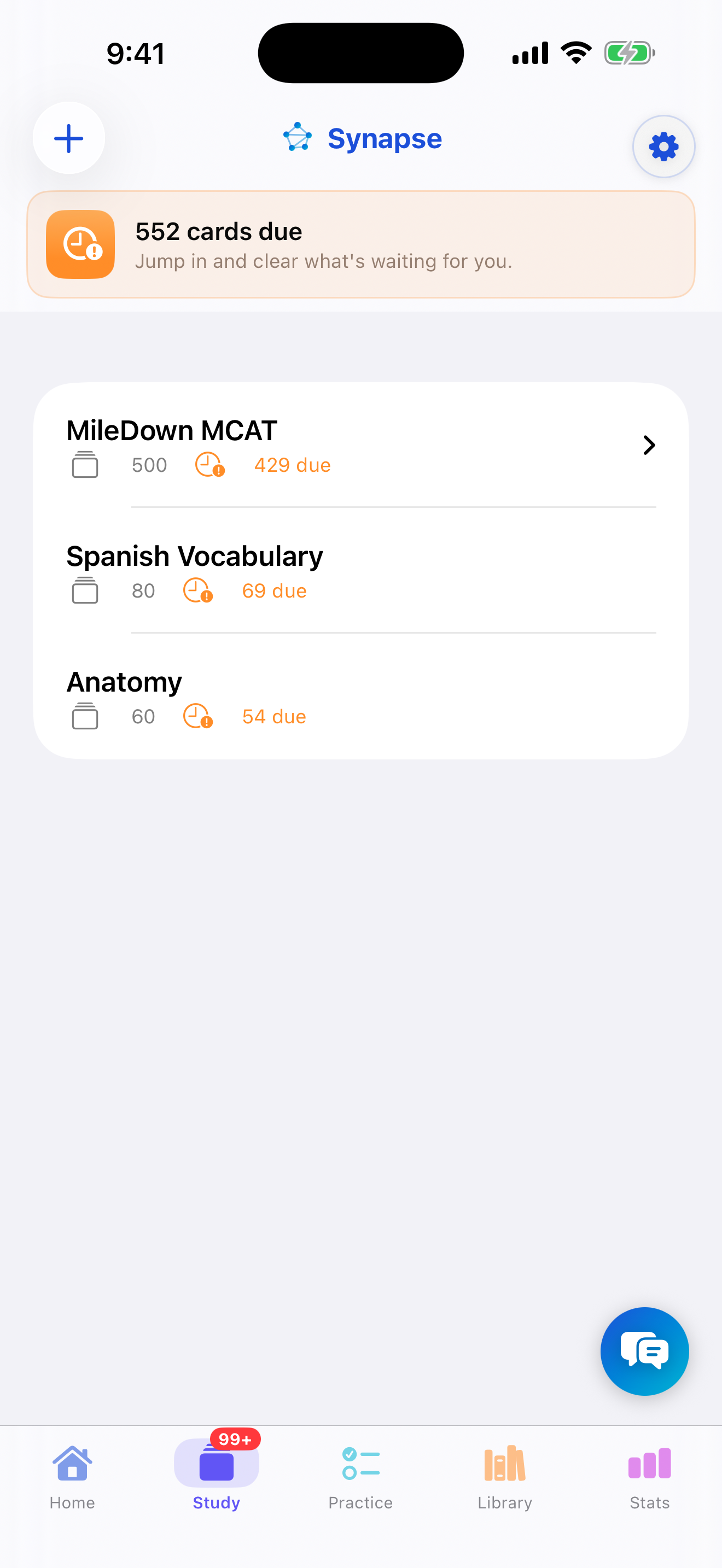
Imported decks keep their chapter structure.
Troubleshooting
- “This deck uses the newest Anki export format.” Re-export from Anki with Support older Anki versions turned on.
- The import was blocked by the card limit. That's the free-plan 100-card cap — upgrade to Premium, or import a smaller deck.
- Math or images look wrong. Re-import the deck so its media refreshes (LaTeX renders offline).
- “Already imported.” Synapse warns when a deck of the same name is already in your library so you don't get duplicates — choose Cancel, or Import Anyway if you really want a second copy.